1. Open a google chrome browser and go to the link below.
2. Click Add to Chrome
3. After you click “Add to Chrome” click the icon on the upper right corner. See
screenshot below. Click the Pin button.

4. Once you are done click the Requestly icon then click the Open App
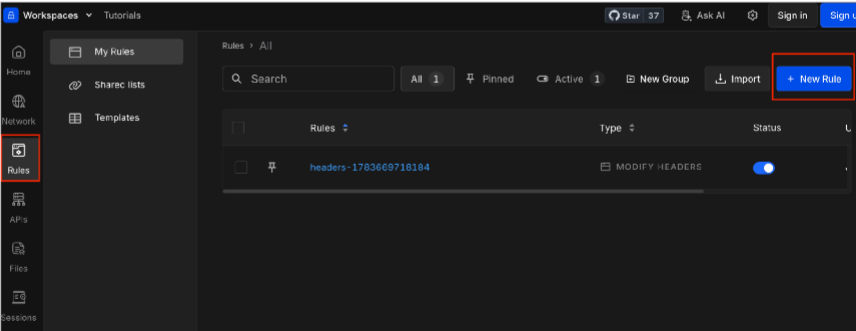
5. Look for Rules on the left side of your screen then click New Rule
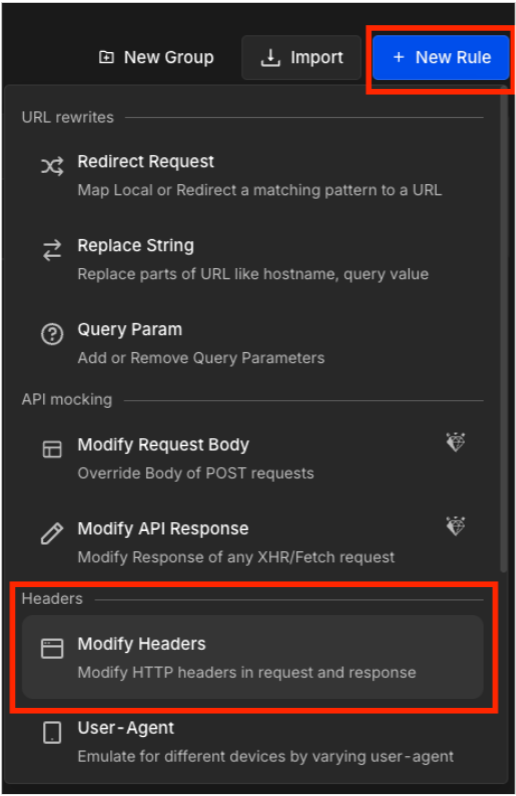
6. Click Modify Headers
7. Click Add Request Header
toggle is turned ON whenever you want to use it.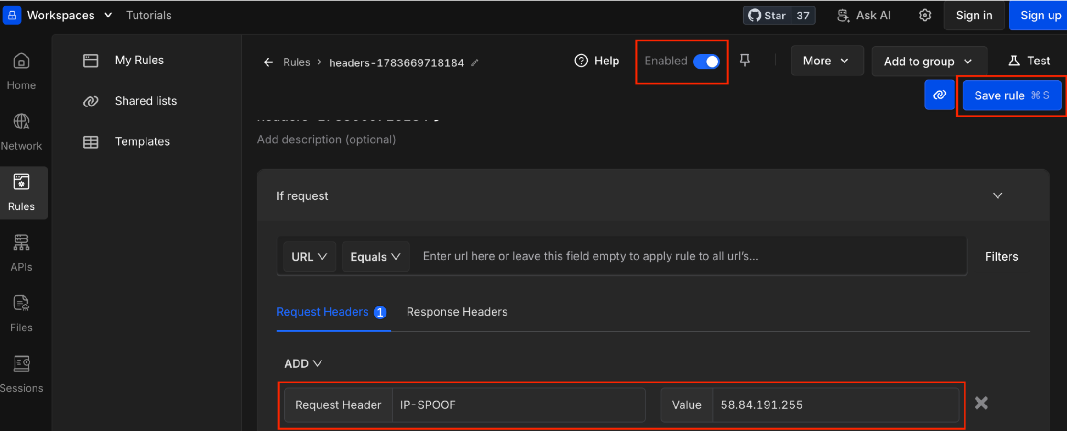
Was this article helpful?
That’s Great!
Thank you for your feedback
Sorry! We couldn't be helpful
Thank you for your feedback
Feedback sent
We appreciate your effort and will try to fix the article